
Categories
Tag Cloud
How to Reset an Email Password in OX App Suite (Admin / Client Area Method)
If you have access to the client area, you can reset any mailbox password directly without logging into webmail.
Alternative Option: If you do not have client area access, you can create an application password via webmail instead. Click here to view the webmail guide.
Step-by-Step Guide
Step 1
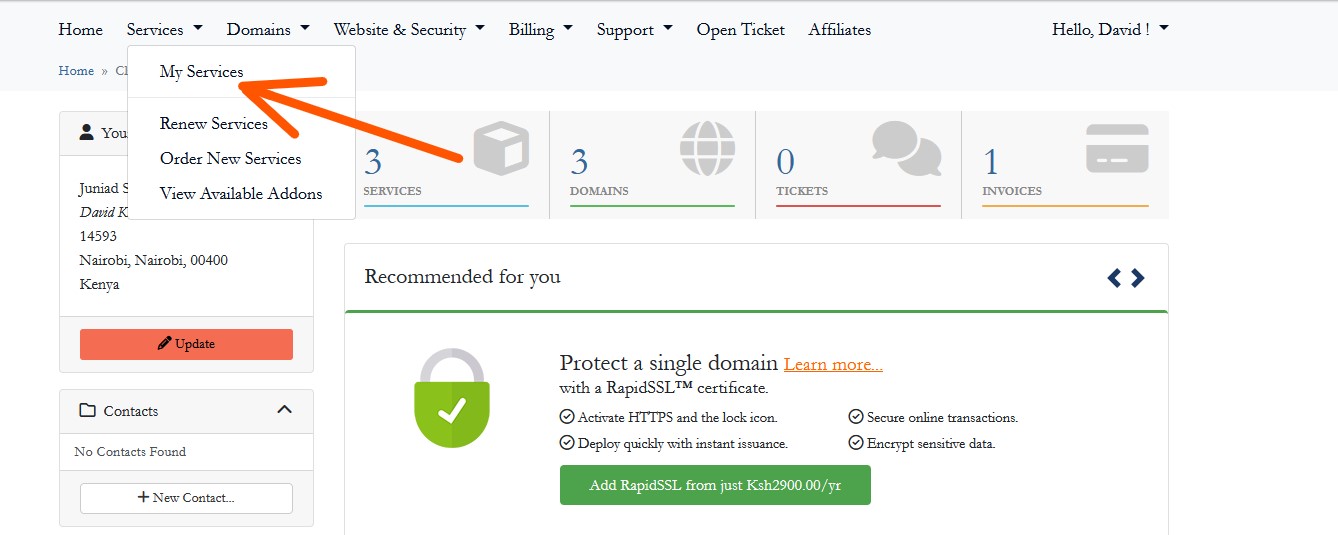
Log in to your client area here: https://sinosoft.guru/login, then navigate to Services → My Services.
Step 2
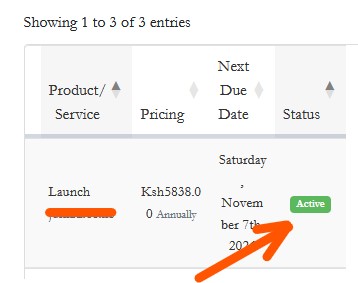
Click on the Active (green) service button for the email hosting package you want to manage.
Step 3
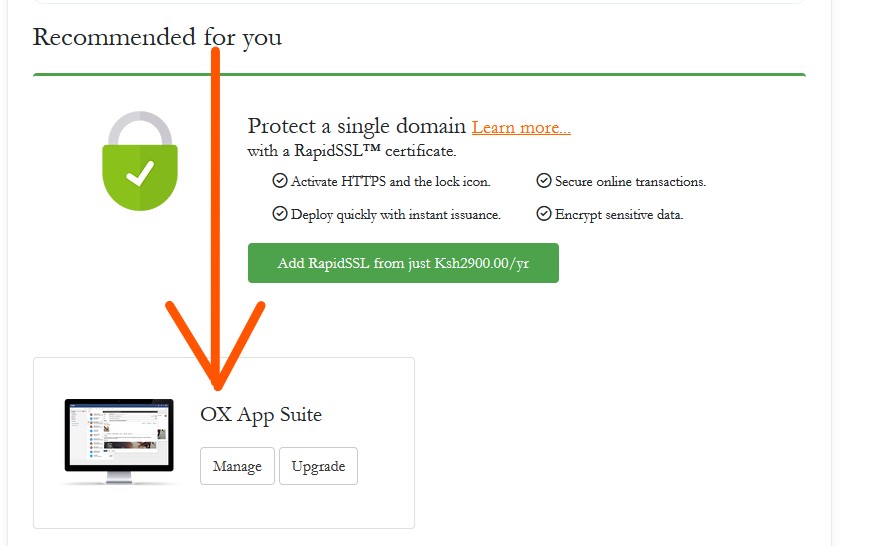
On the right panel, scroll down to Manage OX App Suite and click Manage.
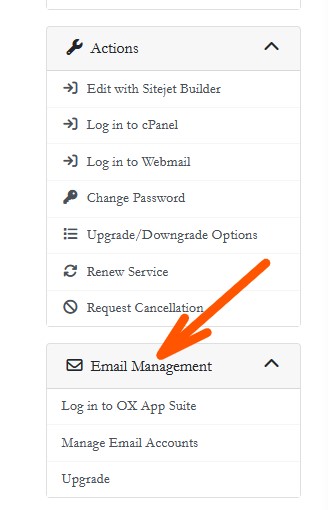
Alternatively, on the left panel, go to Email Management and click Manage Accounts.
Step 4
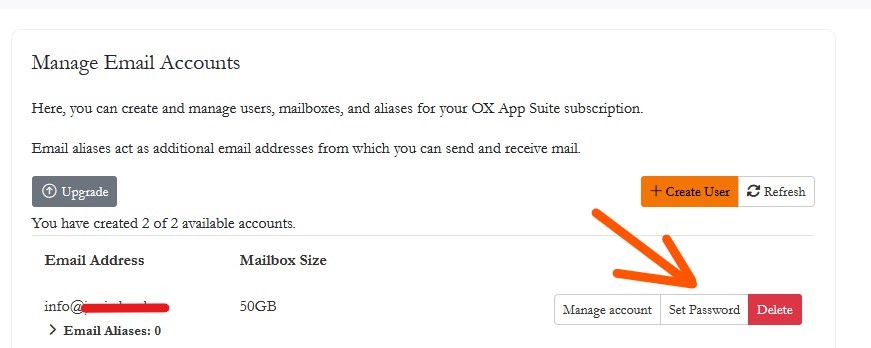
Select the email account you want to update, then click on Set Password.
Step 5
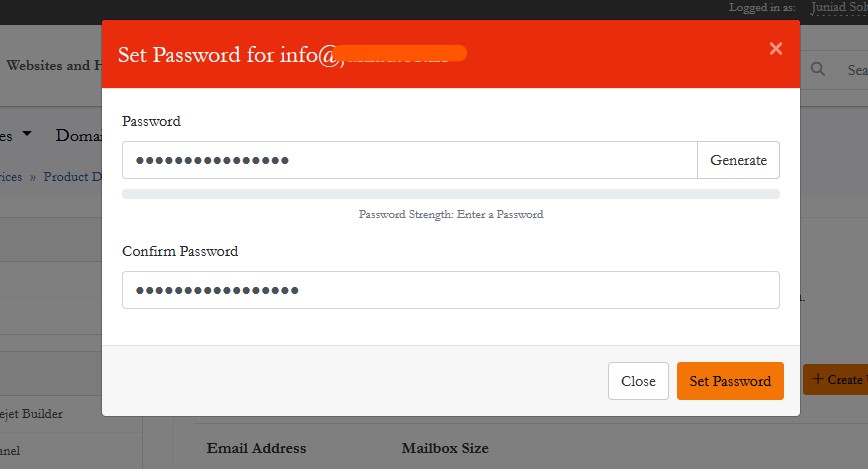
Enter a new password or use the Generate Password option. Once done, click Set to apply the changes.
Step 6
The password will now be updated. Ensure the user stores it securely or updates it after logging in.

Need a secure business email solution? Upgrade to our professional OX App Suite email hosting: View Email Plans.
If you have access to the client area, you can reset any mailbox password directly without logging into webmail.
Alternative Option: If you do not have client area access, you can create an application password via webmail instead. Click here to view the webmail guide.
Step-by-Step Guide
Step 1
Log in to your client area here: https://sinosoft.guru/login, then navigate to Services → My Services.
Step 2
Click on the Active (green) service button for the email hosting package you want to manage.
Step 3
On the right panel, scroll down to Manage OX App Suite and click Manage.
Alternatively, on the left panel, go to Email Management and click Manage Accounts.
Step 4
Select the email account you want to update, then click on Set Password.
Step 5
Enter a new password or use the Generate Password option. Once done, click Set to apply the changes.
Step 6
The password will now be updated. Ensure the user stores it securely or updates it after logging in.
Need a secure business email solution? Upgrade to our professional OX App Suite email hosting: View Email Plans.



