
Categories
Tag Cloud
Change time zone and language settings OX App Suite

Learn how to change the timezone in OX App Suite webmail using the configuration menu.
-
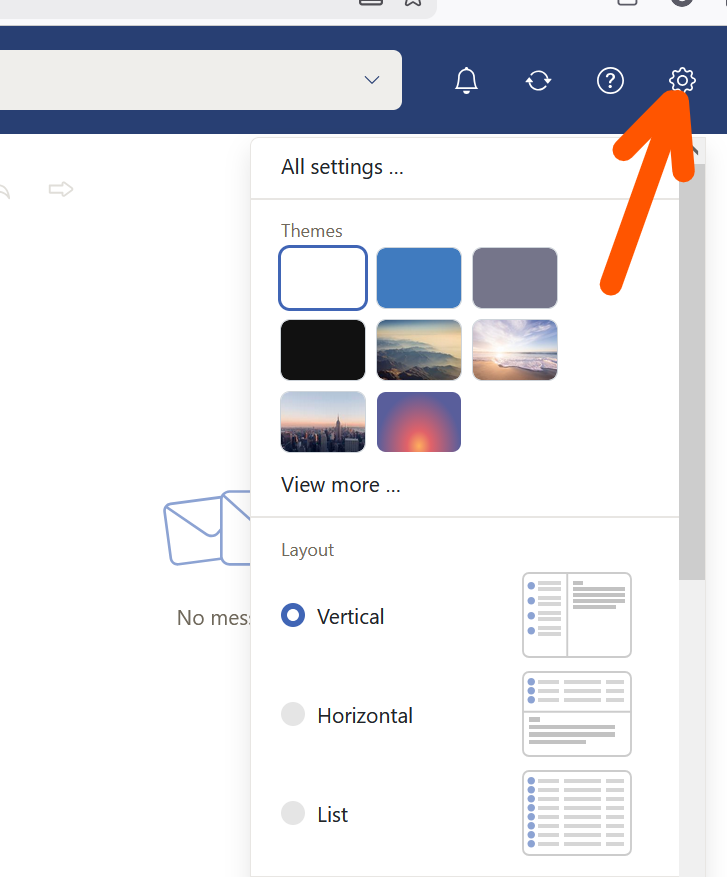
Open Configuration: Click on the gear icon (Configuration) in the top right corner of the screen.
-
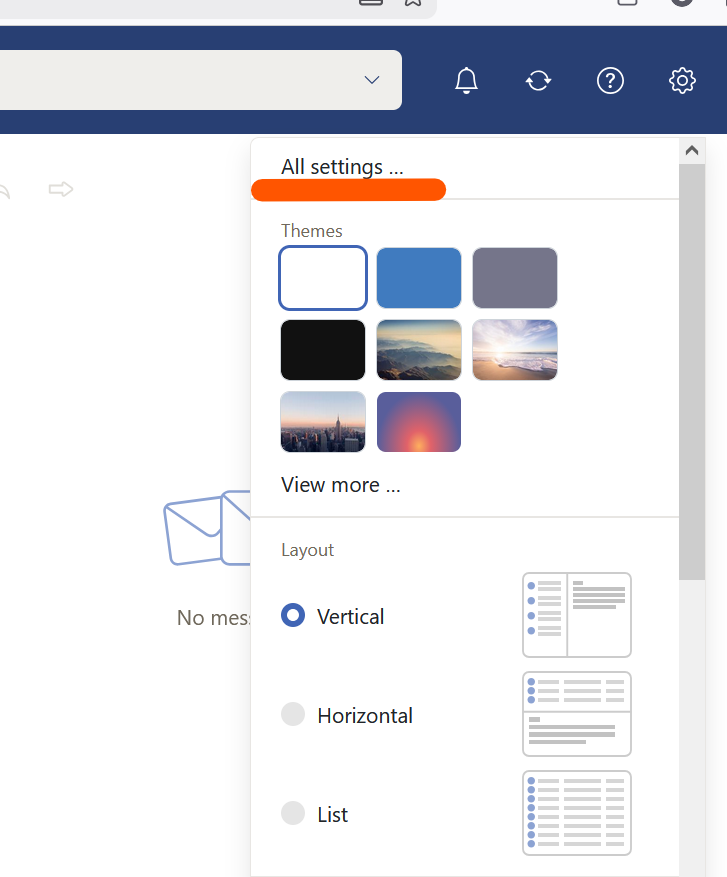
All settings: Select "All settings" from the dropdown menu.
-
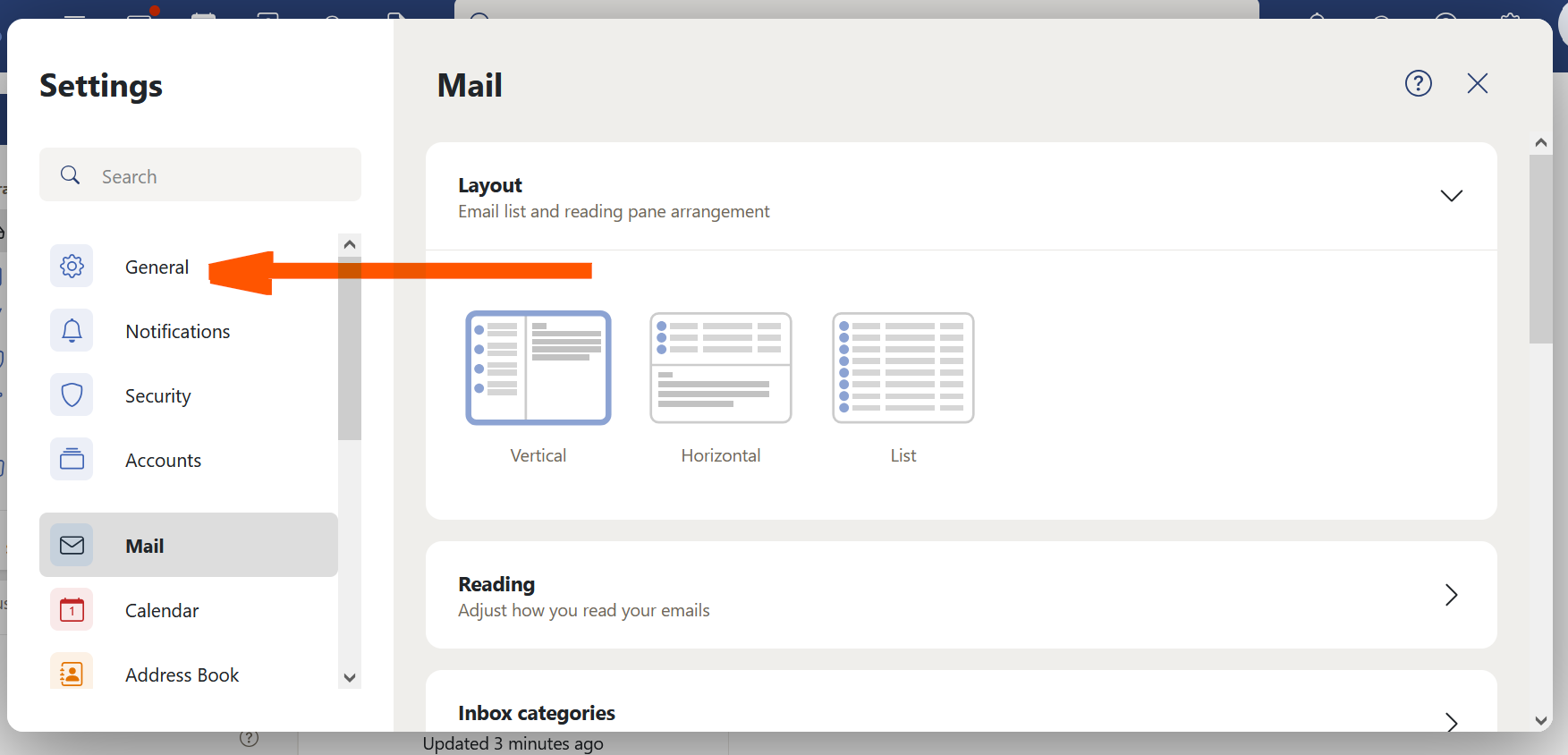
General: Click on "General" in the menu on the left.
-
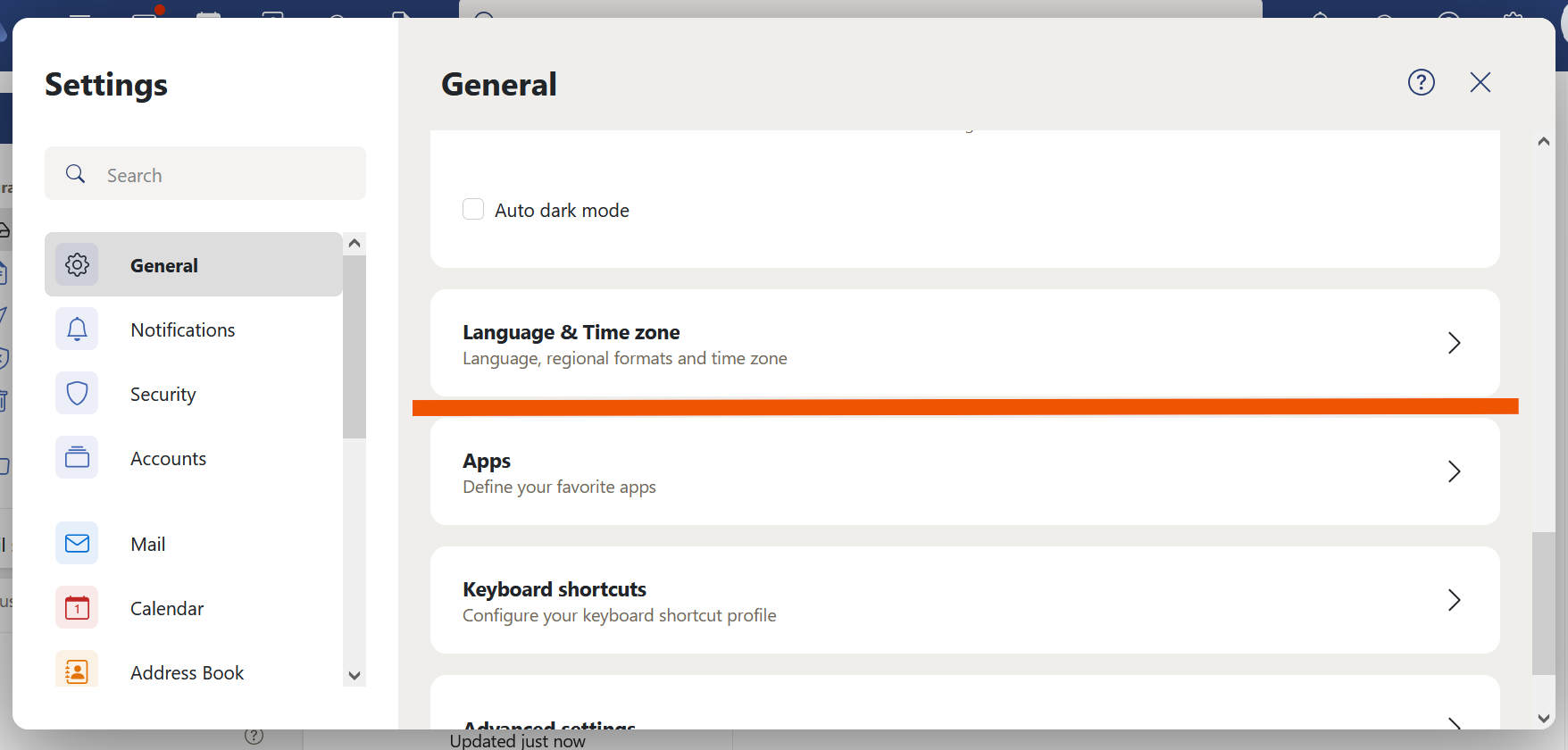
Scroll to Language and Time Zone: Scroll down until you find the "Language and Time Zone" section.
-
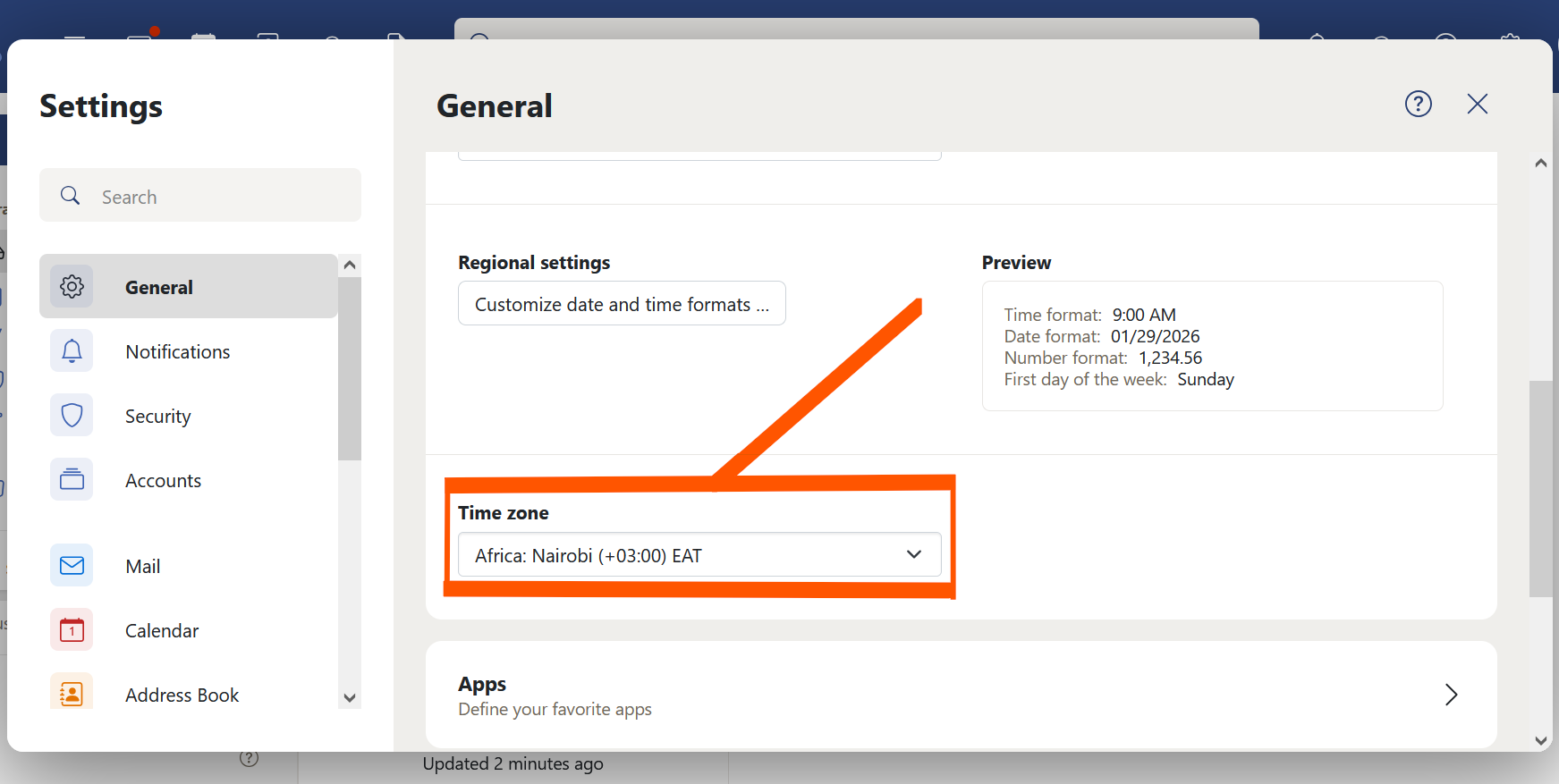
Change Timezone: Use the dropdown menus to update your language, regional settings, and time zone.
-
Save: Scroll down and save your changes.
Alternative: On some versions, this can be found under Configuration → General → Language & Time zone.
Learn how to change the timezone in OX App Suite webmail using the configuration menu.
-
Open Configuration: Click on the gear icon (Configuration) in the top right corner of the screen.
-
All settings: Select "All settings" from the dropdown menu.
-
General: Click on "General" in the menu on the left.
-
Scroll to Language and Time Zone: Scroll down until you find the "Language and Time Zone" section.
-
Change Timezone: Use the dropdown menus to update your language, regional settings, and time zone.
-
Save: Scroll down and save your changes.
Alternative: On some versions, this can be found under Configuration → General → Language & Time zone.



