
Categories
Tag Cloud
How to Create an Addon Domain in Cpanel

What is an Addon Domain?
An addon domain is a fully functional domain that can be created within your control panel. Think of it as having multiple hosting packages sharing the same control panel. You can create email addresses, forwarders, and more — the same way you do for your primary domain. It is an additional registered domain that you can host in the same account as your primary domain. The only difference is that the files share the same control panel and server.
With Sino Soft hosting plans (except Start Package), you can host multiple domain names simultaneously. This means you can host additional websites and email accounts without purchasing a new hosting plan. An addon domain is the name for this feature.
Create an Addon Domain
Assuming that your domain name is already pointed to our hosting nameservers, you can add it to your hosting account as an addon domain using the following steps:
1. Log into your cPanel account.
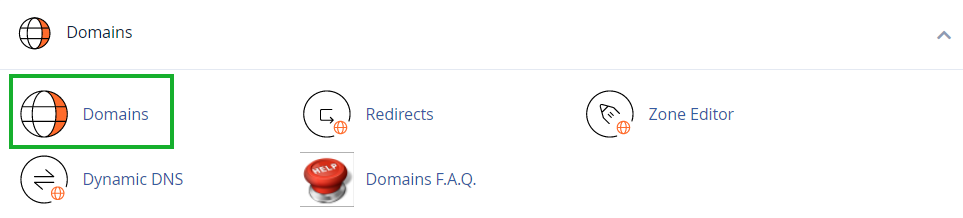
2. In the Domains section navigate to the Domains menu or search in the cpanel search area
3. Click the Create A New Domain button: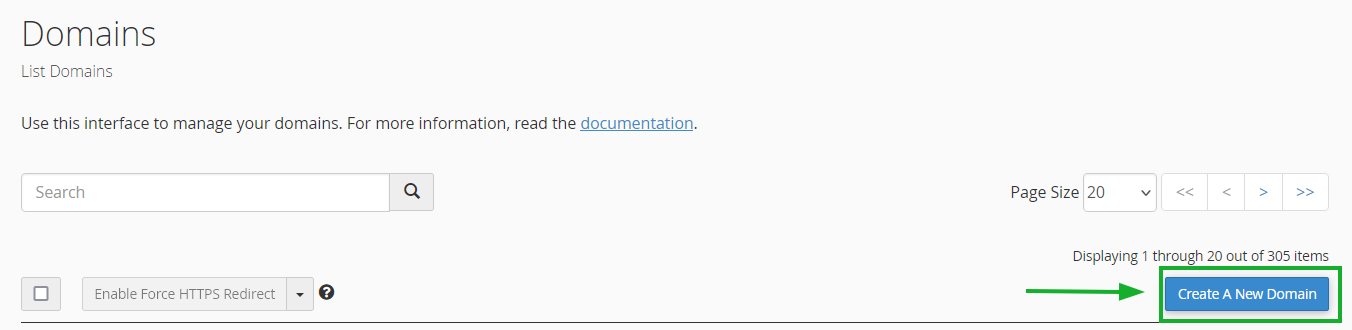
4. Enter the domain name to add in the Domain text box: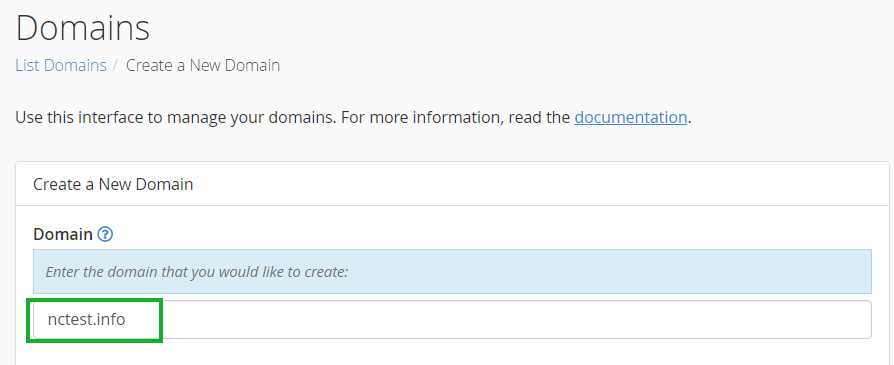
5. Deselect the "Share document root (/home/username/public_html) with “domain.tld”." option and enter the directory where you want the files for this domain to exist: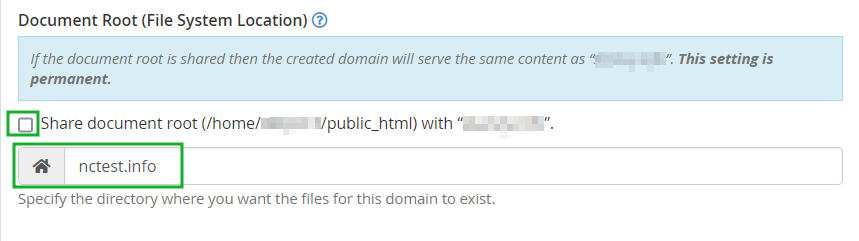
NOTE: If this option is not deselected, the domain name will be added as a parked domain, not an addon. A parked domain is a domain that is associated with your cPanel account but doesn’t have its own content. Instead, it is pointed to your primary domain. In other words, when users will try to access your parked domain they will see the content of your main domain.
6. Click the Submit button: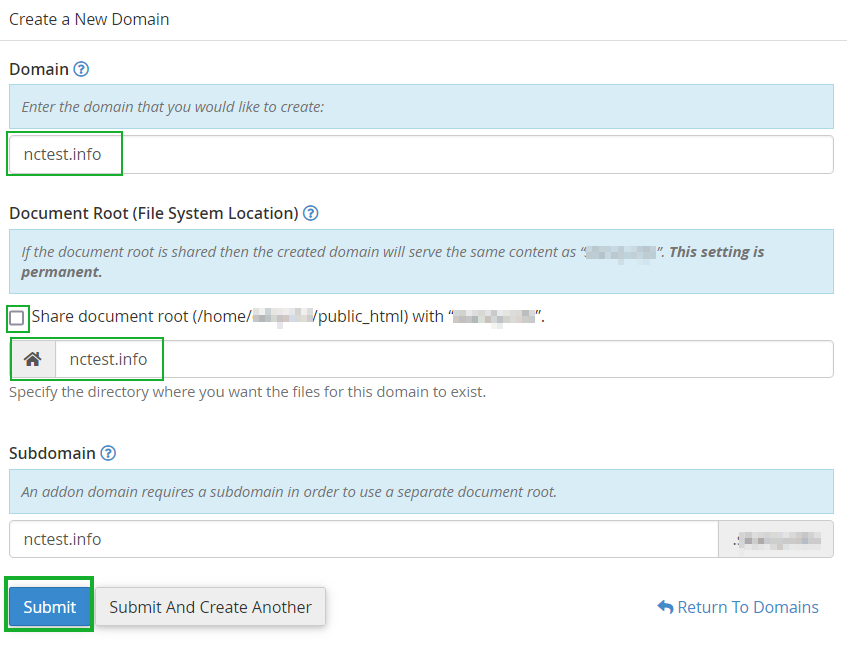
NOTE: The Subdomain field will be automatically filled in.
What is an Addon Domain?
An addon domain is a fully functional domain that can be created within your control panel. Think of it as having multiple hosting packages sharing the same control panel. You can create email addresses, forwarders, and more — the same way you do for your primary domain. It is an additional registered domain that you can host in the same account as your primary domain. The only difference is that the files share the same control panel and server.
With Sino Soft hosting plans (except Start Package), you can host multiple domain names simultaneously. This means you can host additional websites and email accounts without purchasing a new hosting plan. An addon domain is the name for this feature.
Create an Addon Domain
Assuming that your domain name is already pointed to our hosting nameservers, you can add it to your hosting account as an addon domain using the following steps:
1. Log into your cPanel account.
2. In the Domains section navigate to the Domains menu or search in the cpanel search area
3. Click the Create A New Domain button:
4. Enter the domain name to add in the Domain text box:
5. Deselect the "Share document root (/home/username/public_html) with “domain.tld”." option and enter the directory where you want the files for this domain to exist:
NOTE: If this option is not deselected, the domain name will be added as a parked domain, not an addon. A parked domain is a domain that is associated with your cPanel account but doesn’t have its own content. Instead, it is pointed to your primary domain. In other words, when users will try to access your parked domain they will see the content of your main domain.
6. Click the Submit button:
NOTE: The Subdomain field will be automatically filled in.



