
Categories
Tag Cloud
How to manage your domains in Client Area
Managing domains in your client area varies with your Web Hosting Company though mostly the steps are the same, you may want to perform various functions like the ones listed below:-
- Auto Renewing
- Changing Nameservers
- Registrar Lock
- Editing Contact Information
- Adding Private Nameservers
- Generating EPP Code (For Domain transfer)
To achieve any of the above functions under Sino Soft Client Area use this Steps:=
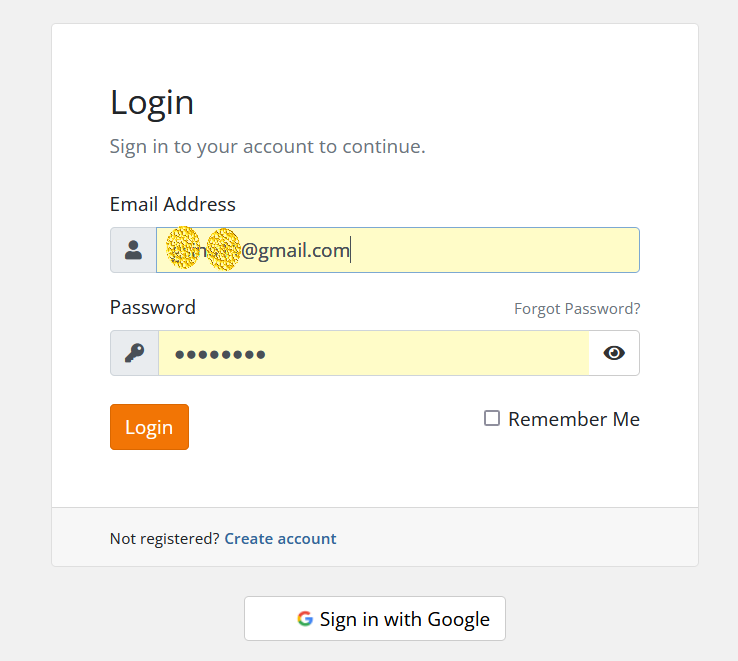
Step 1: Login to you Client Area
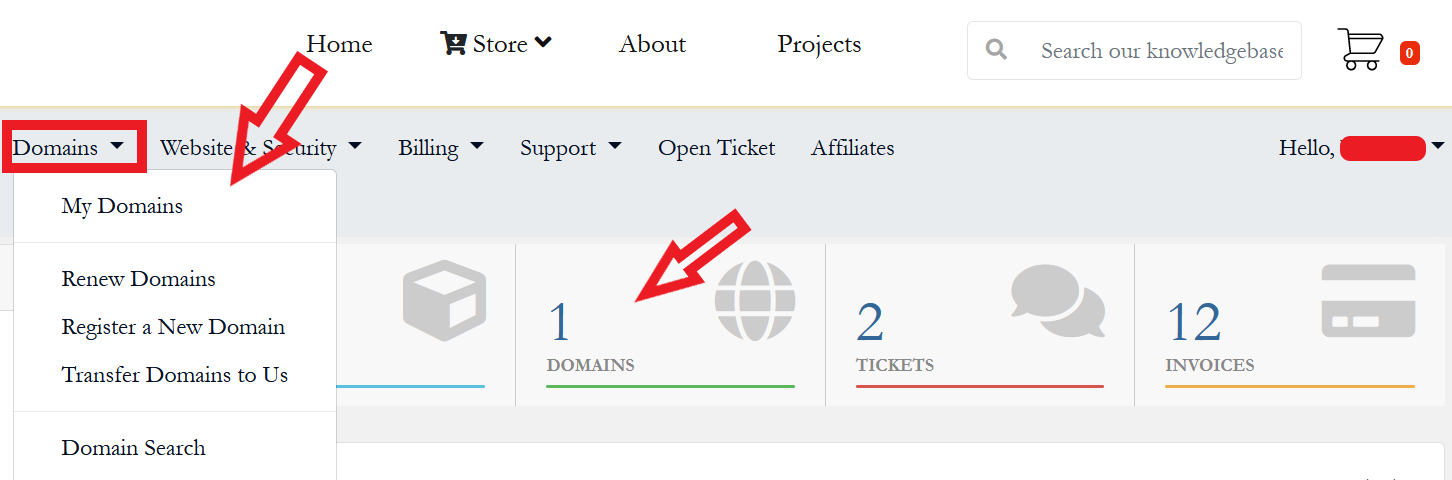
Step 2: Go to My domains section under domains menu or click on domains as shown below.
Step 3: Click on the green active button to manage the domain you want to fetch epp code.

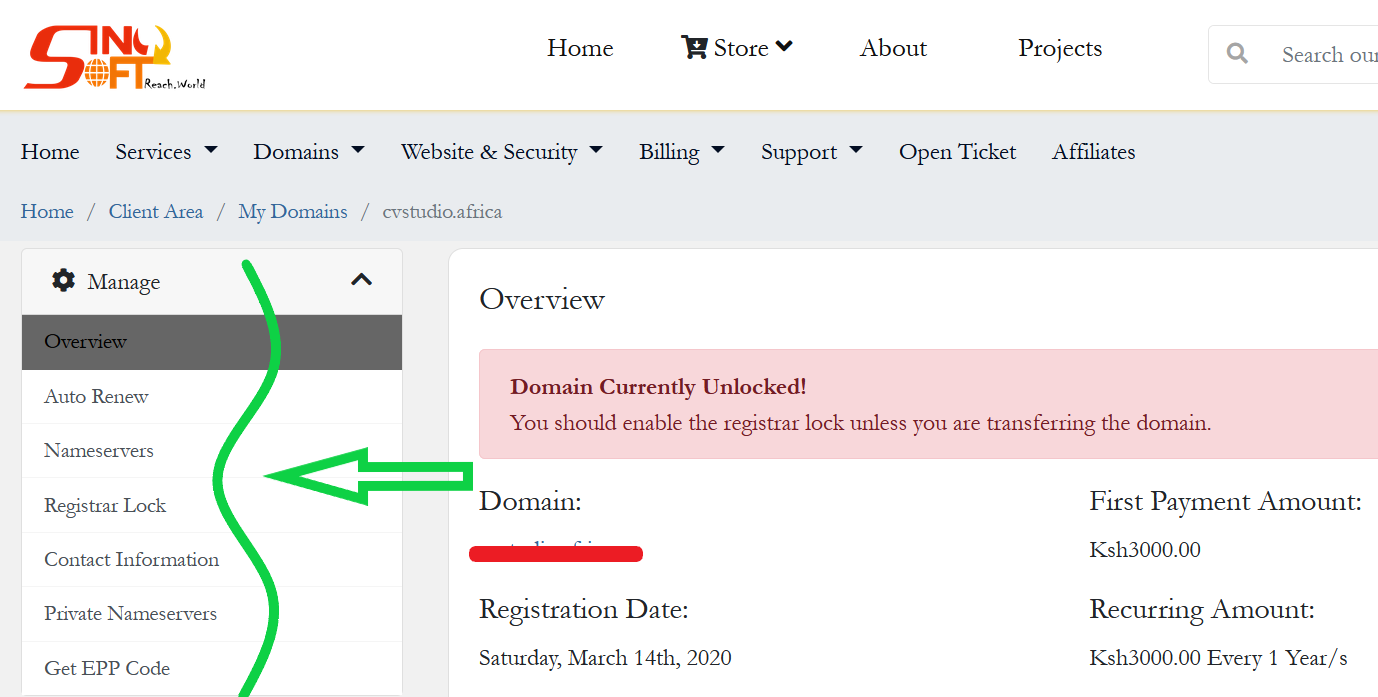
Step 4: On your left menu panel, choose the service you want to perform.
Hope this helps, transfer your domain to us
Managing domains in your client area varies with your Web Hosting Company though mostly the steps are the same, you may want to perform various functions like the ones listed below:-
- Auto Renewing
- Changing Nameservers
- Registrar Lock
- Editing Contact Information
- Adding Private Nameservers
- Generating EPP Code (For Domain transfer)
To achieve any of the above functions under Sino Soft Client Area use this Steps:=
Step 1: Login to you Client Area
Step 2: Go to My domains section under domains menu or click on domains as shown below.
Step 3: Click on the green active button to manage the domain you want to fetch epp code.
Step 4: On your left menu panel, choose the service you want to perform.
Hope this helps, transfer your domain to us



