
Categories
Tag Cloud
How to create email in Client area
Login to your Client Area here the page below should appear.

Input your email address and password as sent to your email address on account creation date or sign in with Gmail.

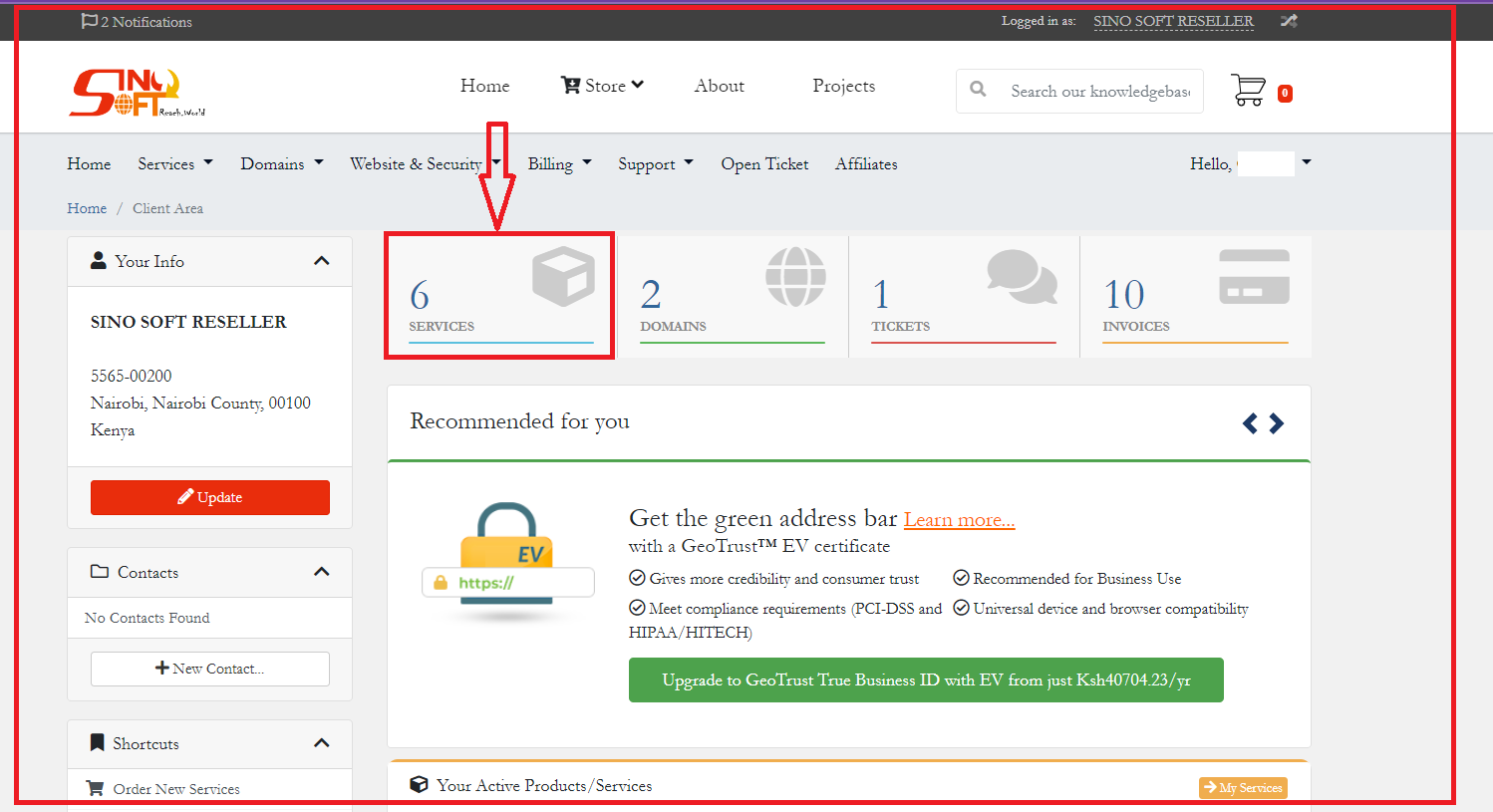
Your Client area will appear as above then click on services as shown below
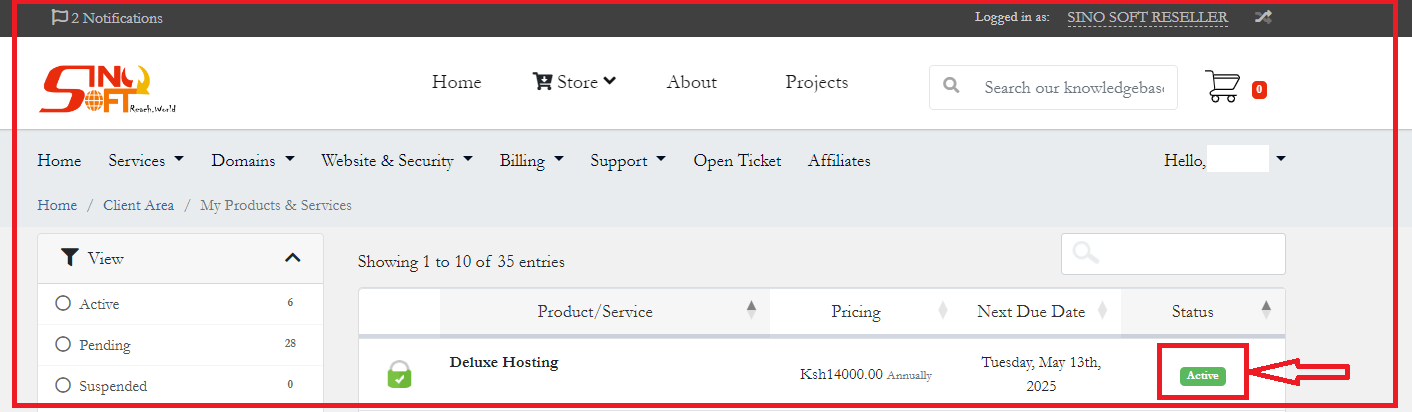
Then click on the active button as highlighted below on your right
Scroll down to Quick Create email account as show below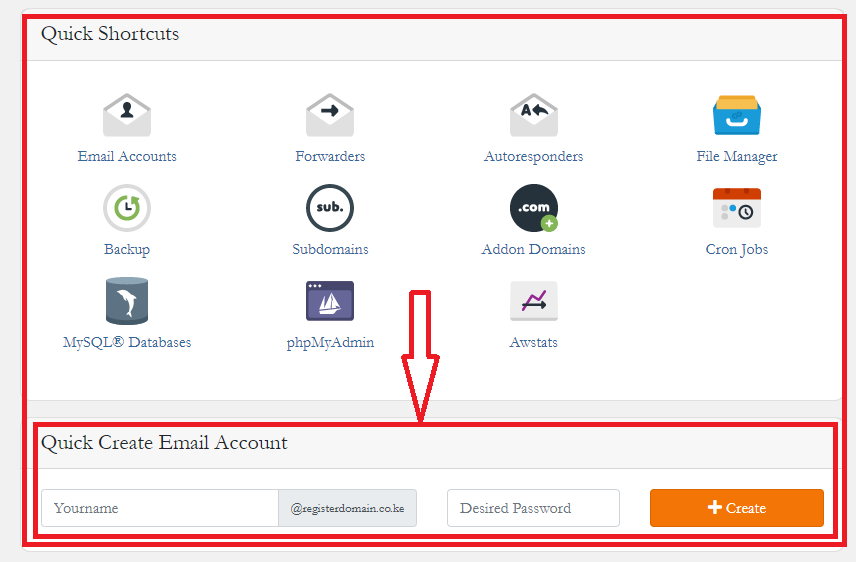
Insert your desirable email e.j john.doe and password the rest will be auto filled for you then click create and you are done!
Read Also : How to Login to Webmail
If you need specific help, contact our Support Team.
Feel free to click the thumbs up below to help many others in need of similar solutions, thank you and God bless!
Login to your Client Area here the page below should appear.
Input your email address and password as sent to your email address on account creation date or sign in with Gmail.
Your Client area will appear as above then click on services as shown below
Then click on the active button as highlighted below on your right
Scroll down to Quick Create email account as show below
Insert your desirable email e.j john.doe and password the rest will be auto filled for you then click create and you are done!
Read Also : How to Login to Webmail
If you need specific help, contact our Support Team.
Feel free to click the thumbs up below to help many others in need of similar solutions, thank you and God bless!



