
Categories
Tag Cloud
How to delete old emails in webmail
In this tutorial, we will show you how to delete all email from your INBOX using Webmail. There may be times when you need to remove all emails from an account. For example, you may want to clear out an INBOX that contains a thousand old emails. Fortunately, there is a tool in Webmail that you can use. This allows you to manage your disk usage and get rid of many emails at once.
Deleting All Emails
- Log in to your Webmail.
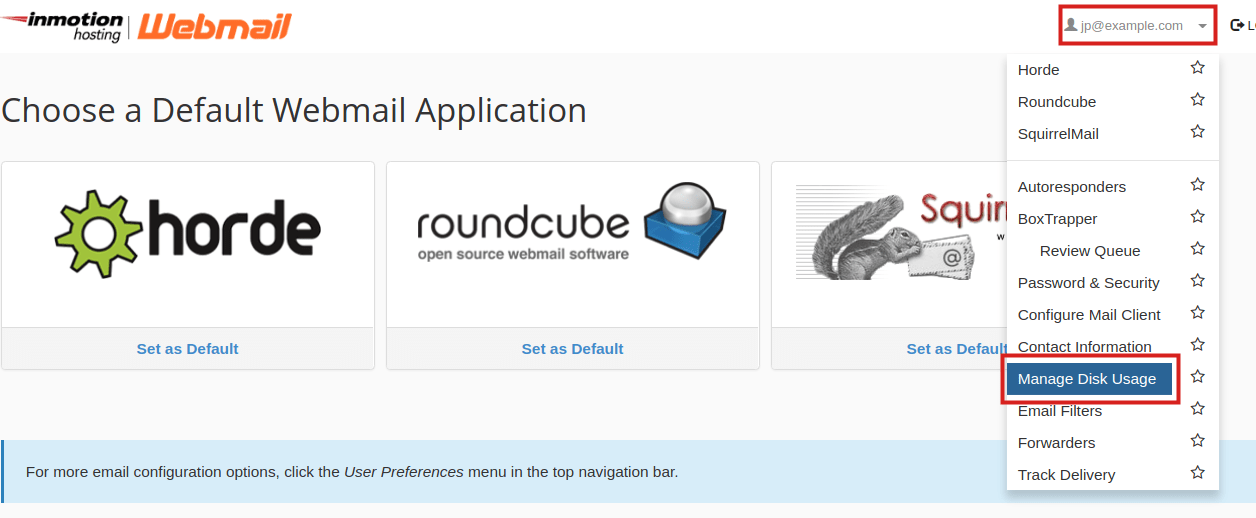
Click your username in the top-right of the screen, then click the Manage Disk Usage link.
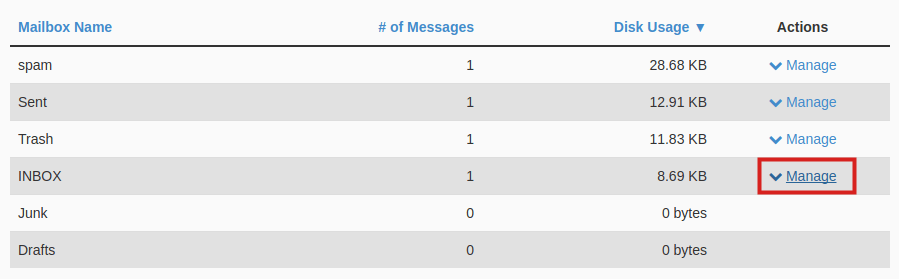
You will see all of your email folders listed. Click the Manage link next to the folder you want to delete.
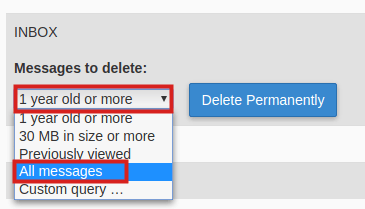
Click the drop-down box below Messages to delete and choose All Messages
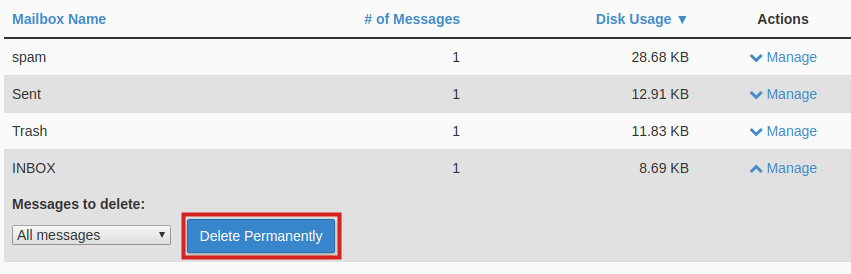
Click the Delete Permanently button to delete all emails.
Credits: inmortion
If you need specific help, contact our Support Team.
Feel free to click the thumbs up below to help many others in need of similar solutions, thank you and God bless!
In this tutorial, we will show you how to delete all email from your INBOX using Webmail. There may be times when you need to remove all emails from an account. For example, you may want to clear out an INBOX that contains a thousand old emails. Fortunately, there is a tool in Webmail that you can use. This allows you to manage your disk usage and get rid of many emails at once.
Deleting All Emails
- Log in to your Webmail.
-
Click your username in the top-right of the screen, then click the Manage Disk Usage link.
-
You will see all of your email folders listed. Click the Manage link next to the folder you want to delete.
-
Click the drop-down box below Messages to delete and choose All Messages
-
Click the Delete Permanently button to delete all emails.
Credits: inmortion
If you need specific help, contact our Support Team.
Feel free to click the thumbs up below to help many others in need of similar solutions, thank you and God bless!



