
Categories
Tag Cloud
How to Reset Email Account Password via Webmail
1) Log in to the Webmail correctly here
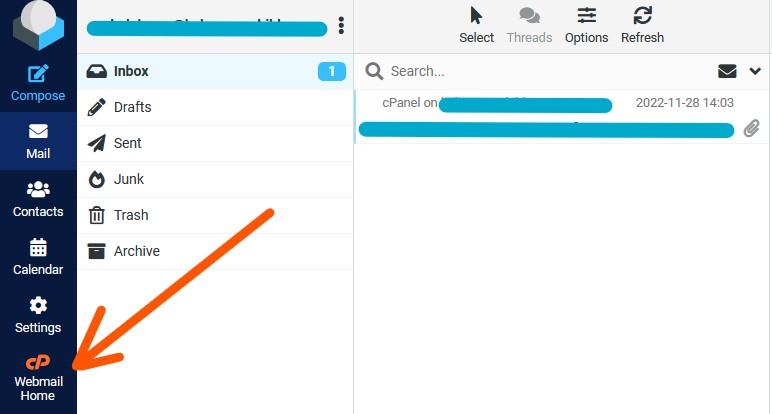
N/B If already in inbox, click the CP Webmail Home Link; if not, ignore this step and jump to step 2
2) Click on the email address name displayed on the top-right corner of the webmail and click on the “Password & Security” option from the listed menu.

3) Type the new password that you want to use for your email account in both boxes “New Password” and “Confirm New Password” and then click the button “Save” to reset your old password with the new password.

Credits: interServer
1) Log in to the Webmail correctly here
N/B If already in inbox, click the CP Webmail Home Link; if not, ignore this step and jump to step 2
2) Click on the email address name displayed on the top-right corner of the webmail and click on the “Password & Security” option from the listed menu.
3) Type the new password that you want to use for your email account in both boxes “New Password” and “Confirm New Password” and then click the button “Save” to reset your old password with the new password.
Credits: interServer



