
Categories
Tag Cloud
How to change timezone in webmail cpanel
Learn how to change the time zone settings in the Roundcube webmail cpanel client with these step-by-step instructions.
This article describes how to change time zone settings in the Roundcube webmail client.
By default, webmail applications use the host server's time zone. If you are in a different time zone, you can change this default. After you change the time zone setting, the interface displays timestamps in the new time zone the next time you log in to webmail.
Note: Sinosoft.guru's servers are located in the Eastern Standard Time (EST) time zone.
To change the time zone in Roundcube, follow these steps:
-
Log in to Roundcube.
-
Click Settings.
-
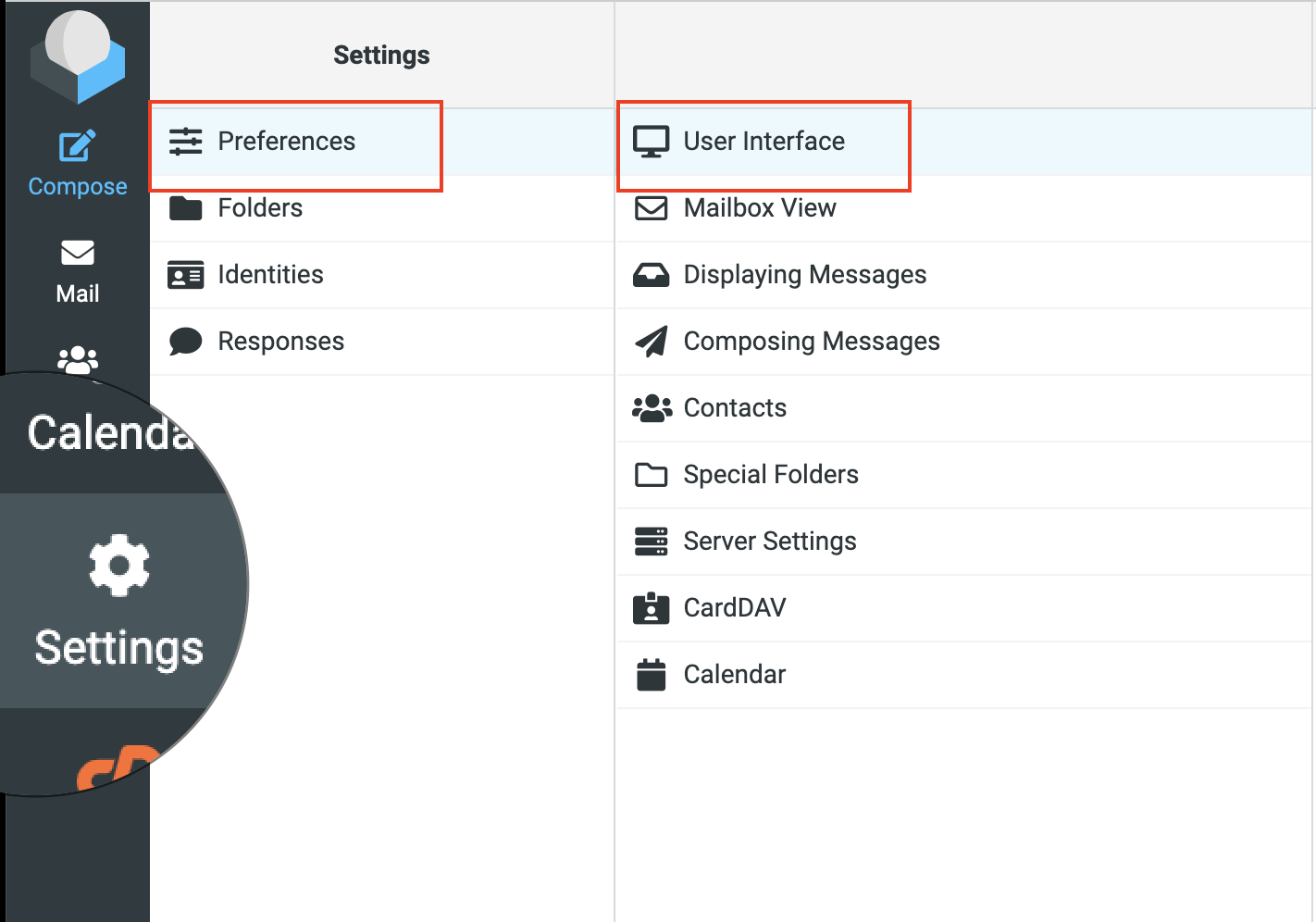
Click Preferences, and then click User Interface:
-
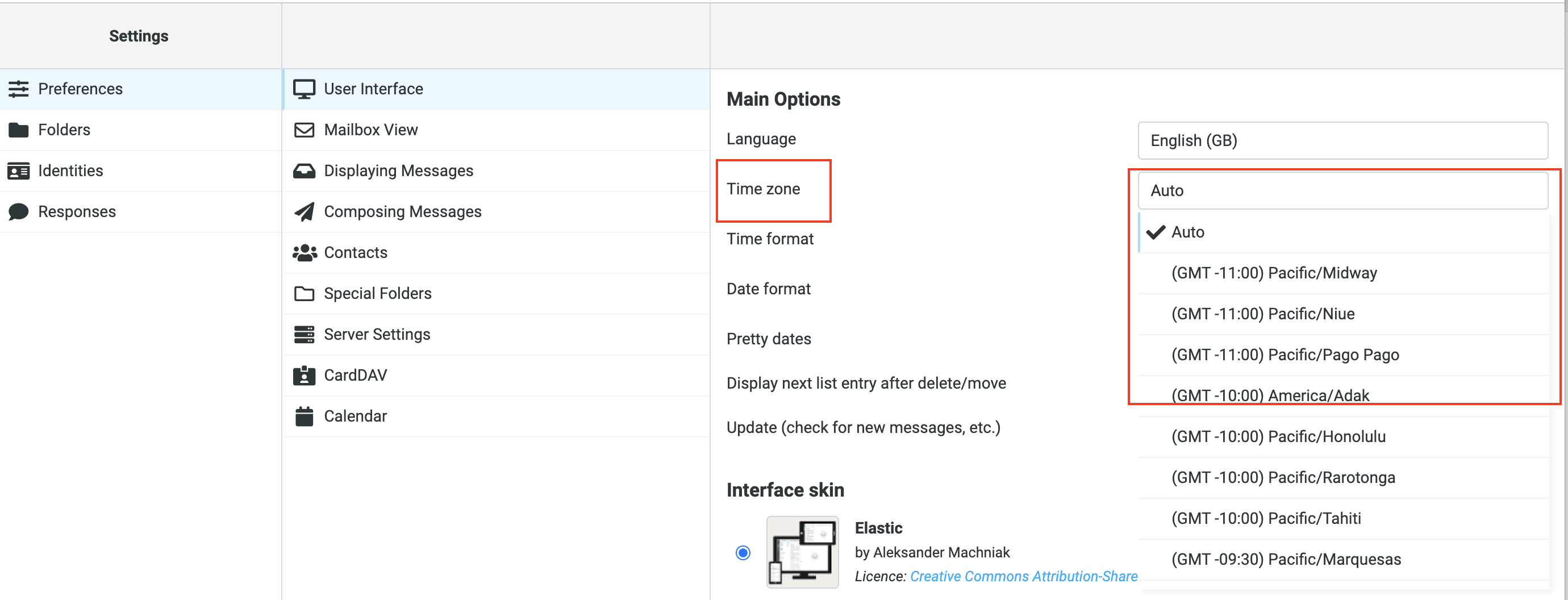
Select your time zone, and then click Save:
Learn how to change the time zone settings in the Roundcube webmail cpanel client with these step-by-step instructions.
This article describes how to change time zone settings in the Roundcube webmail client.
By default, webmail applications use the host server's time zone. If you are in a different time zone, you can change this default. After you change the time zone setting, the interface displays timestamps in the new time zone the next time you log in to webmail.
Note: Sinosoft.guru's servers are located in the Eastern Standard Time (EST) time zone.
To change the time zone in Roundcube, follow these steps:
-
Log in to Roundcube.
-
Click Settings.
-
Click Preferences, and then click User Interface:
-
Select your time zone, and then click Save:



