
How to Optimize your Google My Business for SEO
Having a strong online presence is crucial for businesses of all sizes. One of the most effective tools for local businesses to enhance their visibility is Google My Business (GMB).
Optimizing your GMB profile not only helps you rank higher in local search results but also improves your chances of appearing in Google’s AI-powered snippets and local packs.
In our comprehensive guide, we’ll walk you through the steps to optimize your Google My Business profile for SEO, drawing insights from top sources such as Google itself.
Table of Contents
- How to Optimize Your Google My Business for SEO: A Comprehensive Guide
- Why Does Google My Business Optimization Matter for SEO
Step 1: Claim and Verify Your Google My Business Listing
Step 2: Optimize Your Business Information
Step 3: Write a Compelling Business Description
Step 4: Add High-Quality Photos and Videos
Step 5: Collect and Respond to Reviews
Step 6: Use Google Posts to Engage Customers
Step 7: Leverage Q&A and Messaging Features
Step 8: Monitor and Analyze Your Performance
Step 9: Build Local Citations and Backlinks
Step 10: Stay Consistent and Updated
3. FAQs About Google My Business Optimization
- How long does it take to see results from GMB optimization?
- Can I optimize my GMB profile without a physical location?
- How often should I update my GMB profile?
- What are the most important factors for GMB ranking?
Why Does Google My Business Optimization Matter for SEO

Google My Business is a free tool that allows businesses to manage their online presence across Google, including Search and Maps. According to WordStream, 46% of all Google searches have local intent, making GMB a critical component of local SEO. A well-optimized GMB profile can:
- Increase your visibility in local search results.
- Drive more traffic to your website and physical location.
- Enhance your chances of appearing in Google’s local 3-pack.
- Build trust and credibility with potential customers.
Now, that you know the importance of GMB for your business, let’s dive into the actionable steps to optimize your Google My Business profile for SEO.
How to Optimize Google My Businesss Step by Step
Step 1: Claim and Verify Your Google My Business Listing
Before you can optimize your GMB profile, you need to claim and verify your business. If you haven’t already, follow these steps:
- Go to Google My Business and sign in with your Google account.
- Enter your business name and address.
- Verify your business through the method provided by Google (e.g., postcard, phone, or email).
Tip: Ensure your business information is consistent with what’s listed on your website and other online directories. Inconsistencies can harm your local SEO efforts.
Step 2: Optimize Your Business Information
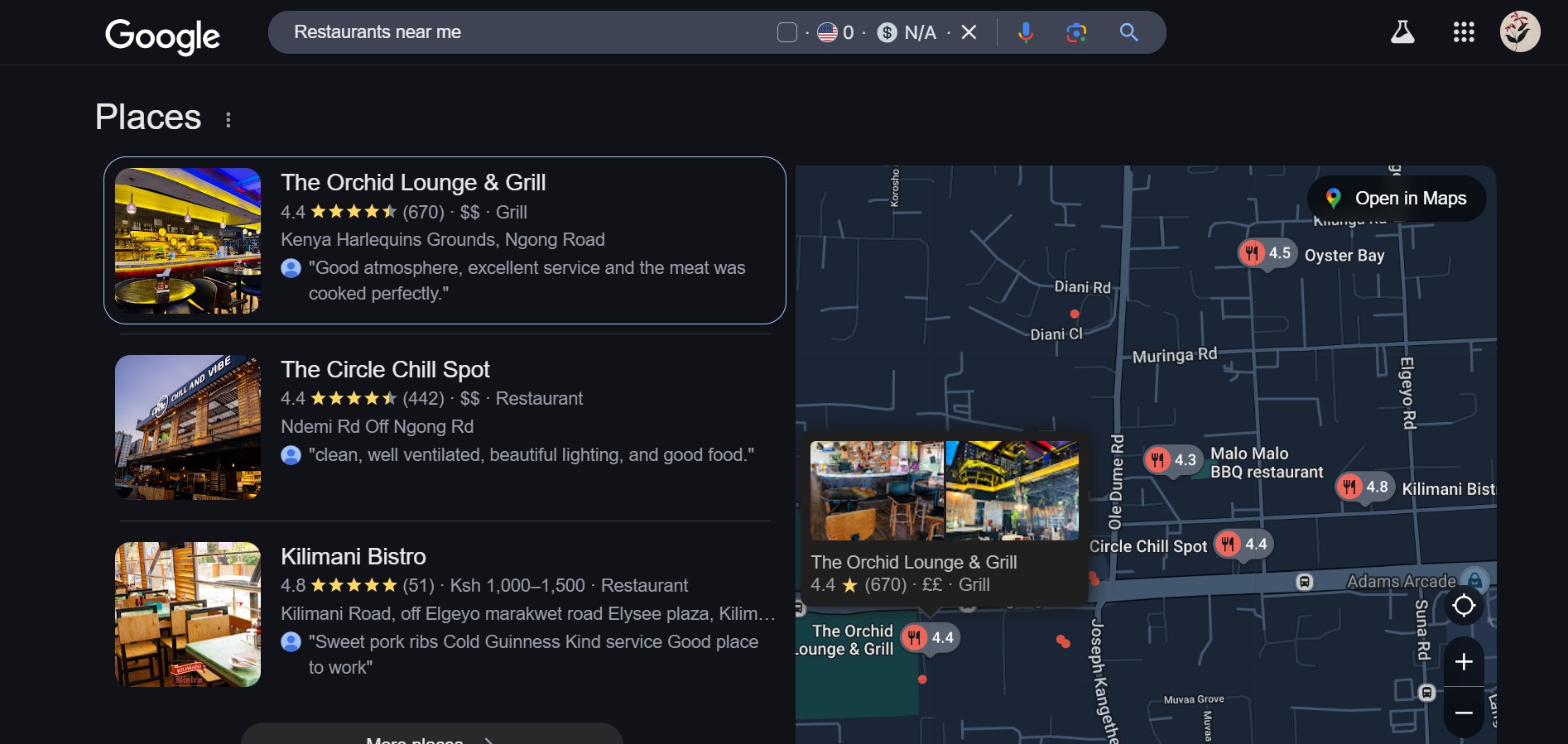
- Use your exact business name as it appears in the real world.
- Ensure your address is accurate and matches your website.
- Include a local phone number (not a toll-free number) for better local SEO.
- Choose the most relevant primary category for your business. This is one of the most important factors for ranking in local searches.
- Add secondary categories to further describe your services.
- Keep your hours up-to-date, especially during holidays or special events.
- Use the special hours feature to inform customers of any changes.
- Link to your website or a specific landing page optimized for local SEO.
Step 3: Write a Compelling Business Description
Your business description is an opportunity to showcase what makes your business unique. According to Neil Patel, a well-crafted description can improve your chances of ranking for relevant keywords. Here’s how to write an effective description:
- Use relevant keywords naturally (e.g., “best Italian restaurant in Kenya”).
- Highlight your unique selling points (e.g., “family-owned since 1995”).
- Keep it concise and engaging (up to 750 characters).
Tip: Avoid keyword stuffing, as it can harm your SEO efforts.
Step 4: Add High-Quality Photos and Videos
Visual content is a powerful way to attract customers and improve engagement. Mailchimp emphasizes that businesses with photos receive 42% more requests for directions and 35% more clicks to their websites. Follow these tips:
- Upload high-resolution photos of your storefront, products, and team.
- Add videos to showcase your services or give a virtual tour.
- Regularly update your photos to keep your profile fresh.
Step 5: Collect and Respond to Reviews
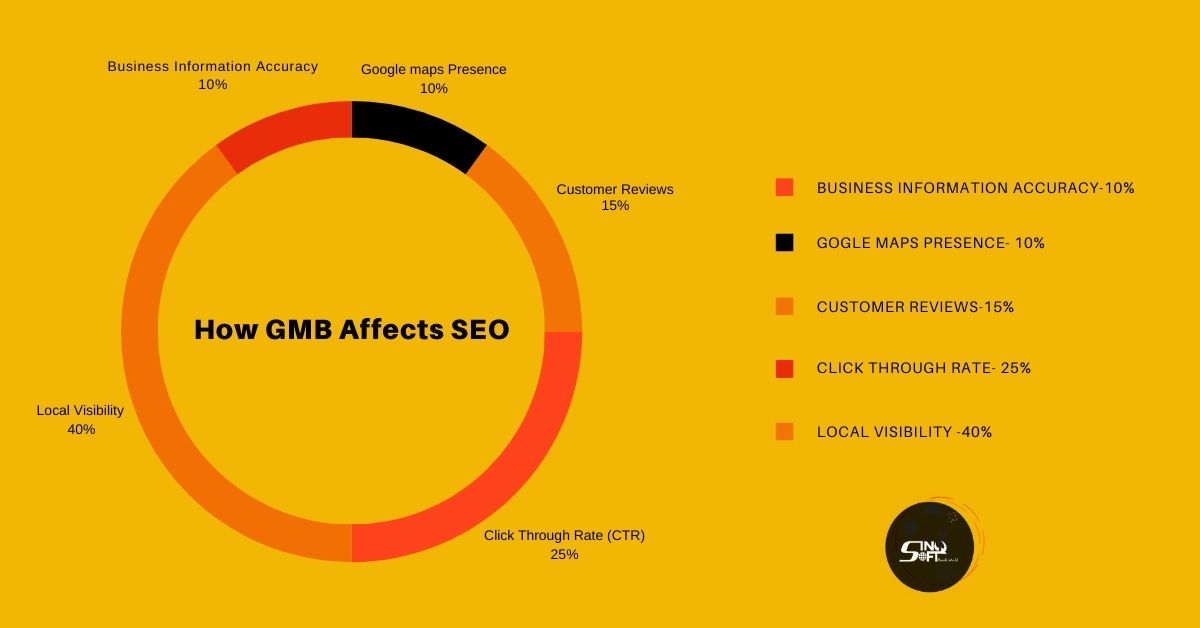
Reviews are a critical factor in local SEO. According to WordStream, businesses with a higher number of positive reviews tend to rank higher in local search results. Here’s how to manage reviews effectively:
- Encourage satisfied customers to leave positive reviews.
- Respond to all reviews, both positive and negative, to show that you value customer feedback.
- Use keywords naturally in your responses (e.g., “Thank you for choosing our plumbing services in Chicago!”).
Tip: Aim for at least 10-15 reviews to build credibility.
Step 6: Use Google Posts to Engage Customers
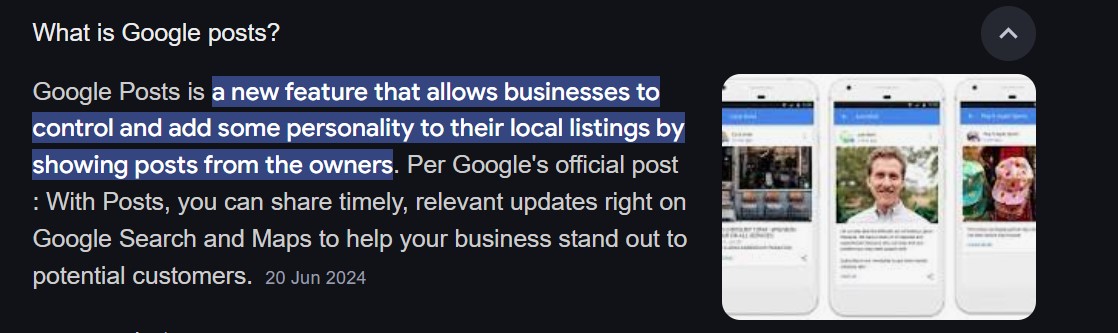
Google Posts allow you to share updates, promotions, and events directly on your GMB profile. This feature can help you:
- Drive traffic to your website or landing pages.
- Highlight special offers or events.
- Improve engagement with potential customers.
Tip: Use eye-catching visuals and include a clear call-to-action (CTA) in your posts.
Step 7: Leverage Q&A and Messaging Features
The Q&A section on your GMB profile allows customers to ask questions about your business. Be proactive by:
- Adding common questions and answers.
- Responding promptly to customer inquiries.
- Using the messaging feature to communicate directly with customers.
Step 8: Monitor and Analyze Your Performance
Google My Business provides valuable insights into how customers interact with your profile. Use these metrics to refine your strategy:
- Track search queries to understand what customers are looking for.
- Monitor click-through rates (CTR) to your website or calls.
- Analyze photo views and customer actions.
Tip: Use tools like Google Analytics and Google Search Console to gain deeper insights into your performance.
Step 9: Build Local Citations and Backlinks
To further boost your local SEO, ensure your business is listed on reputable directories like Yelp, Yellow Pages, and Bing Places. Additionally, seek opportunities to earn high-quality backlinks from local websites, blogs, and news outlets.
Tip: Partner with local influencers or organizations to gain more exposure.
Step 10: Stay Consistent and Updated
SEO is an ongoing process. Regularly update your GMB profile with fresh content, respond to reviews, and monitor your performance. According to Neil Patel, businesses that consistently optimize their GMB profiles see significant improvements in their local search rankings.
FAQs About Google My Business Optimization

- It can take anywhere from a few weeks to a few months to see significant improvements, depending on your industry and competition.
- Yes, service-area businesses (SABs) can optimize their GMB profiles by specifying their service areas instead of a physical address.
- Regularly update your profile with new photos, posts, and business information to keep it fresh and engaging.
- Key factors include accurate business information, positive reviews, high-quality photos, and consistent engagement.
Conclusion and Summary
Optimizing Google My Business (GMB) improves local SEO, visibility, and customer engagement.
Follow these key steps:
- Claim & Verify Your Listing – Ensure ownership and consistency across platforms.
- Optimize Business Info – Use accurate name, address, phone (NAP), and categories.
- Write a Keyword-Rich Description – Highlight your services naturally.
- Add High-Quality Photos & Videos – Boost engagement and trust.
- Collect & Respond to Reviews – Improve rankings and credibility.
- Use Google Posts & Q&A – Share updates and engage customers.
- Monitor Insights & Build Backlinks – Track performance and improve local authority.
Need help optimizing your GMB? Just reach out to us online now.



