
Categories
Tag Cloud
Access File manager and other cpanel functions from Client Area - Updated
Access cPanel from your Client Area
To try login to your Client Area and see these new features by cpanel api, simply follow the steps below:

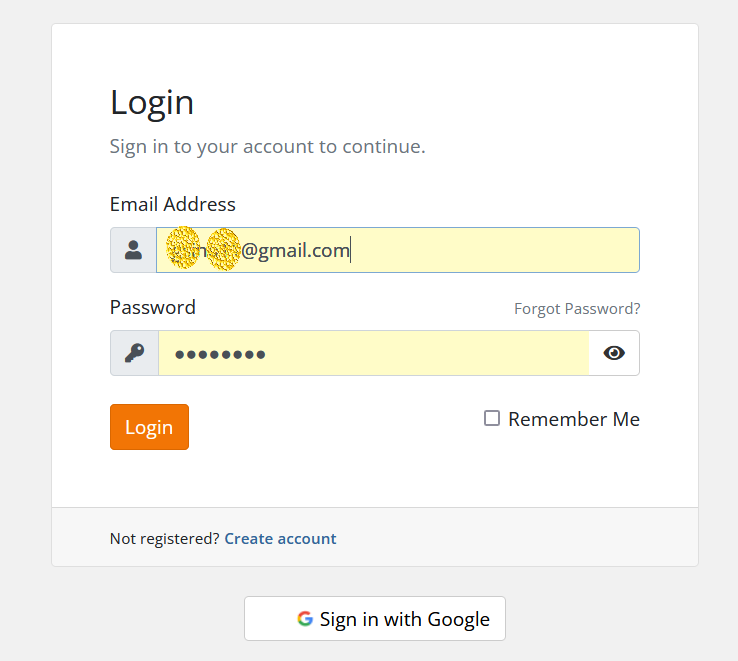


4- On left you will see all the cpanel functions, choose your desired function which include Log in to cPanel, Log in to Webmail, Change Password, Upgrade/Downgrade, Request Cancellation etc...

--
Read Also: How to Change the Password of An Email Account Through cPanel
You may do cPanel functions and task as you would when you login to your cPanel. You can also redirect to cPanel, Webmail, PHPMyAdmin and File Manager using the One Click Login feature!If you need specific help, contact our Support Team. or call us directly or whatsapp at +254105503412
Feel free to click the thumbs up below to help many others in need of similar solutions, thank you and God bless!
Access cPanel from your Client Area
To try login to your Client Area and see these new features by cpanel api, simply follow the steps below:
4- On left you will see all the cpanel functions, choose your desired function which include Log in to cPanel, Log in to Webmail, Change Password, Upgrade/Downgrade, Request Cancellation etc...
--
Read Also: How to Change the Password of An Email Account Through cPanel
You may do cPanel functions and task as you would when you login to your cPanel. You can also redirect to cPanel, Webmail, PHPMyAdmin and File Manager using the One Click Login feature!If you need specific help, contact our Support Team. or call us directly or whatsapp at +254105503412
Feel free to click the thumbs up below to help many others in need of similar solutions, thank you and God bless!



