
Categories
Tag Cloud
View Google Site Kit (G Site Kit) Reports on Your Wordpress Dashboard
View your dashboard and reports
Google Site Kit displays data in a few different ways. First, you can see an overview of all your services from Site Kit > Dashboard.
For services such as Search Console and Google Analytics, Site Kit has to collect data for a while before it shows you any numbers. We went ahead and connected PageSpeed Insights as well to show you how it displays results within its dashboard:

In time, your dashboard might look more like this:
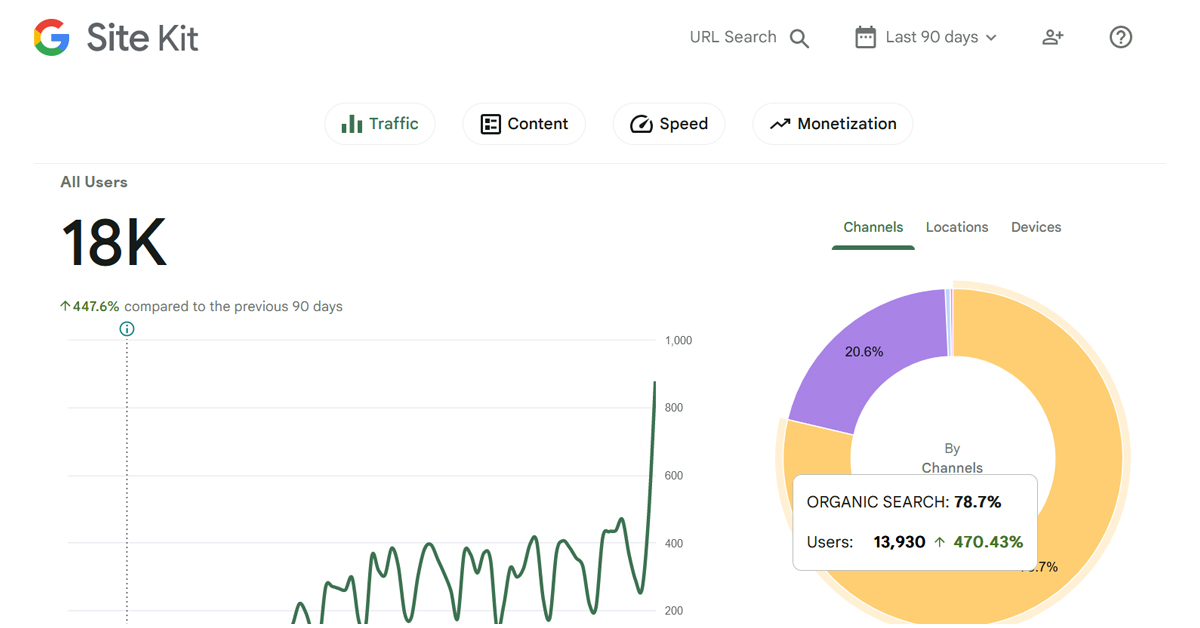
Your other option is to view separate reports for your services. Each will have its own tab under Site Kit in your WordPress sidebar. These summaries give you a bit more detail than the dashboard:
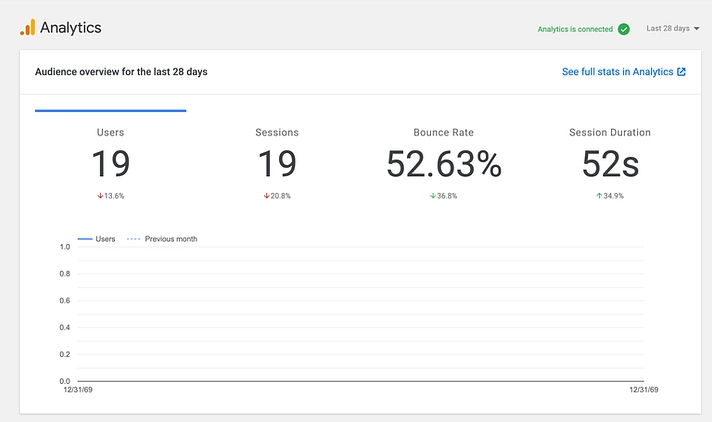
You can also filter by specific pages on your site, like only seeing the statistics for a certain blog post or testing the page speed of a specific page.
Learn more on Finding your way around site Kit
If you need specific help, contact our Support Team.
Feel free to click the thumbs up below to help many others in need of similar solutions, thank you and God bless!
View your dashboard and reports
Google Site Kit displays data in a few different ways. First, you can see an overview of all your services from Site Kit > Dashboard.
For services such as Search Console and Google Analytics, Site Kit has to collect data for a while before it shows you any numbers. We went ahead and connected PageSpeed Insights as well to show you how it displays results within its dashboard:
In time, your dashboard might look more like this:
Your other option is to view separate reports for your services. Each will have its own tab under Site Kit in your WordPress sidebar. These summaries give you a bit more detail than the dashboard:
You can also filter by specific pages on your site, like only seeing the statistics for a certain blog post or testing the page speed of a specific page.
Learn more on Finding your way around site Kit
If you need specific help, contact our Support Team.
Feel free to click the thumbs up below to help many others in need of similar solutions, thank you and God bless!



